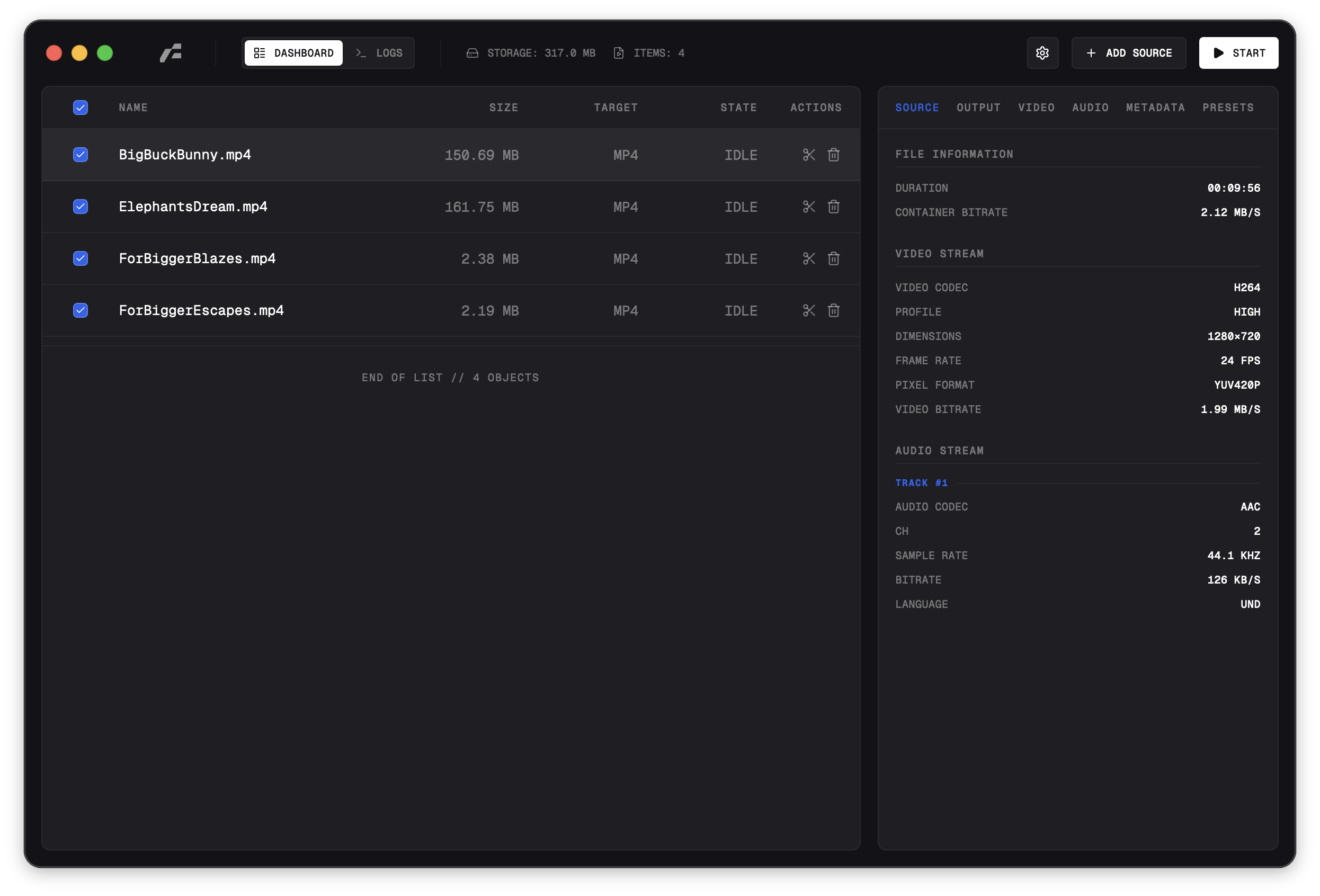
Native Rust utility powered by FFmpeg.

Media conversion reimagined.

A native Rust media conversion utility for macOS, Windows, and Linux. Built with GPUI-CE and powered by FFmpeg and FFprobe.

Frame app preview

Batch conversion queue

Add multiple files, choose which items should convert, then pause, resume, retry, or remove jobs while Frame tracks progress per file.

Audio formats and levels

Convert to MP3, M4A, WAV, or FLAC with codec-aware bitrate or quality controls, channel selection, volume, and normalization.

Video encode or stream copy

Re-encode with full codec and filter controls, or use Cut / Stream Copy for fast trim and remux workflows when the source allows it.

GIF and image export

Create GIFs with palette, dithering, loop, FPS, and scaling controls, or export still images as PNG, JPG, WebP, BMP, and TIFF.

Built-in output presets

Start from real presets for Balanced MP4, Archive H.265, Web Share, GIF, audio-only, YouTube, TikTok/Reels, X, and Discord.

Subtitles and metadata

Select subtitle tracks or burn captions with font, size, color, outline, and position controls, then preserve, clean, or replace metadata.

Frame was born from a frustration with existing tools. Media conversion should not require a degree in video engineering or a command-line interface. We built Frame to be the tool we wanted to use: invisible when you do not need it, and incredibly powerful when you do. By using Rust and GPUI-CE, Frame feels native because it is native.

This efficiency allows us to provide a seamless experience where the complexity of FFmpeg is tucked away behind a responsive, fluid interface. It means no more waiting for a bloated application to launch or struggling with non-standard UI patterns. Everything is optimized to get you from raw file to final output with as few clicks as possible, without sacrificing the precision that high-end transcoding requires.

In an era where every utility seems to require an account, Frame stands apart. It is strictly local-first software. Your media files never leave your device. There is no server-side processing, no telemetry that spies on your content, and no upload bars to watch. This architectural decision ensures not only privacy, but also maximum speed.

Under the minimalist exterior lies the industry-standard FFmpeg engine. Whether you are transcoding raw footage for an archive or compressing a quick screen recording, Frame adapts. It exposes the granular controls professionals need - bitrate, codecs, containers, subtitles, and metadata - without overwhelming casual users.

Frequently Asked Questions

Quick answers for the details that matter before installing the native desktop app.

Frame is a native Rust desktop utility with a GPUI-CE interface for FFmpeg video, audio, image, subtitle, and metadata workflows.

Ready to convert?

Download the latest native build and run FFmpeg-powered conversion workflows directly on your machine.

Browse all download options on GitHub.
© 2026 Frame. Licensed under GPLv3